Access FlipIt API methods via API Gateway
After creating Lambda functions it was time to see how they can be used in my FlipIt application. API Gateways provide easiest way to manage APIs. There are many available in the market. I decided to go with AWS API Gateway since I am already in AWS ecosystem.
First step is to “Create API” from API Gateway dashboard in AWS. We can choose HTTP, REST, WebSocket type of API’s when creating a new API. There is also option to import or create new API. In my case I am creating API from scratch, so I chose new api and REST as API type.
Once an API is created, next we can create Resource and Methods, also any Models and Authorizers if required.
I started by creating a resource “totalGames” which should help me to get how many games have been played in my app so far.
From the Actions dropdown, I choose “Create Resource” which asks for resource name and resource path. By default resource path takes resource name itself. We can change it as well. To finish resource creation, click create resource.
A resoure is created by name “totalGames”. Next thing is to add methods. We can add GET, POST, DELETE etc Rest methods for a resource. I needed GET method, so I selected the resource and went to Actions dropdown and clicked on Create Method. After choosing GET in dropdown under “totalGames” resource, next screen asked me to integrate my API method already available.
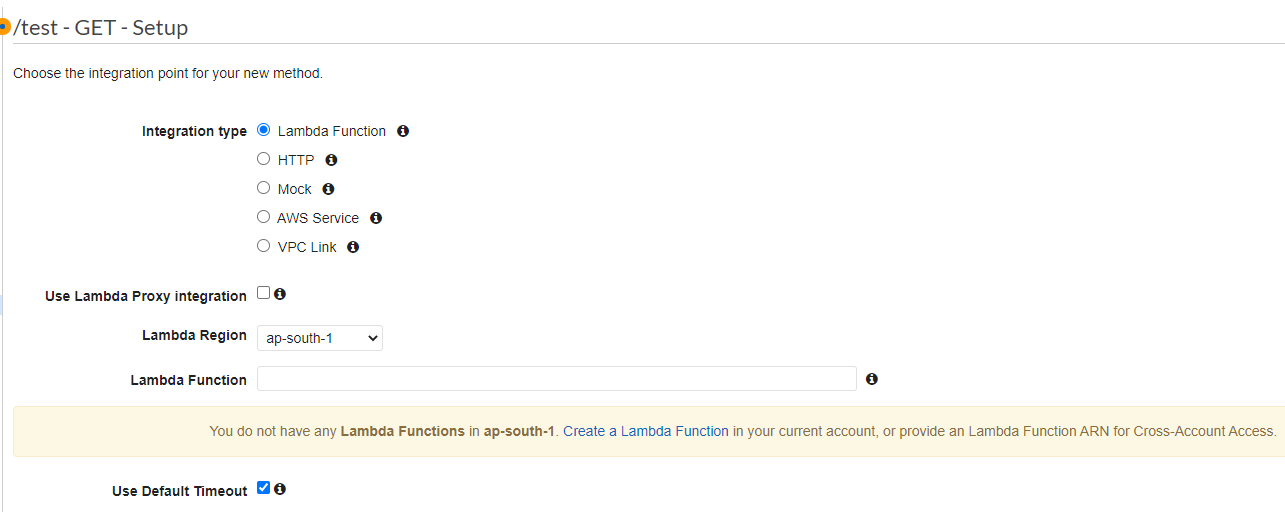
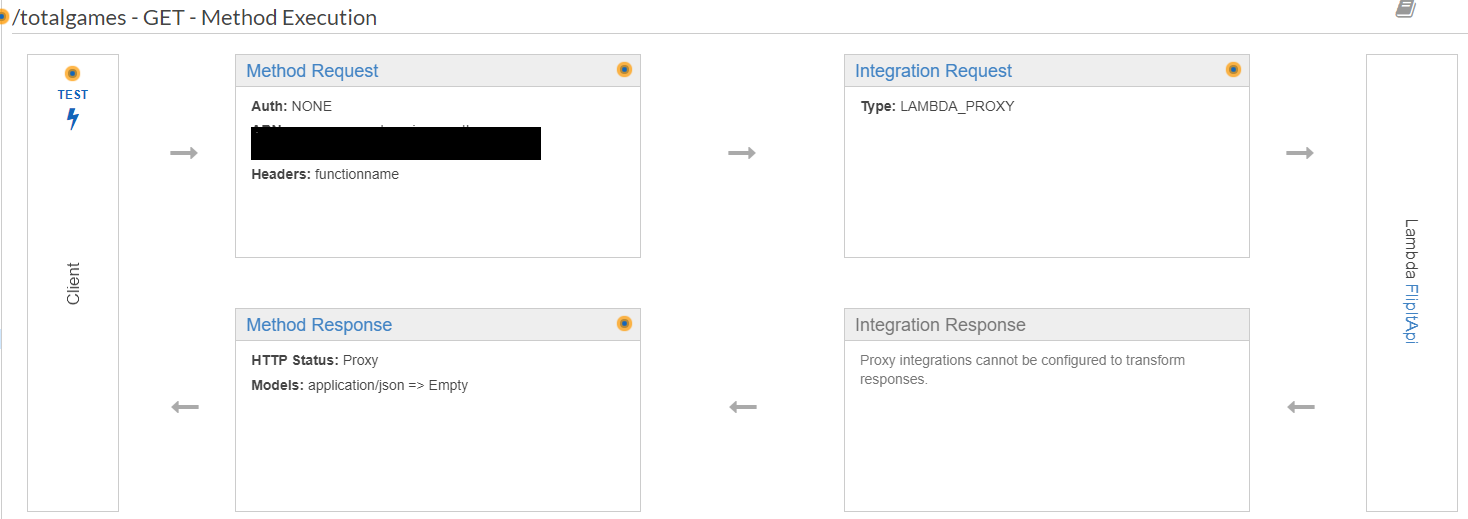
I changed the region to where Lambda function is available. Upon success following screen appears which displays how method execution happens
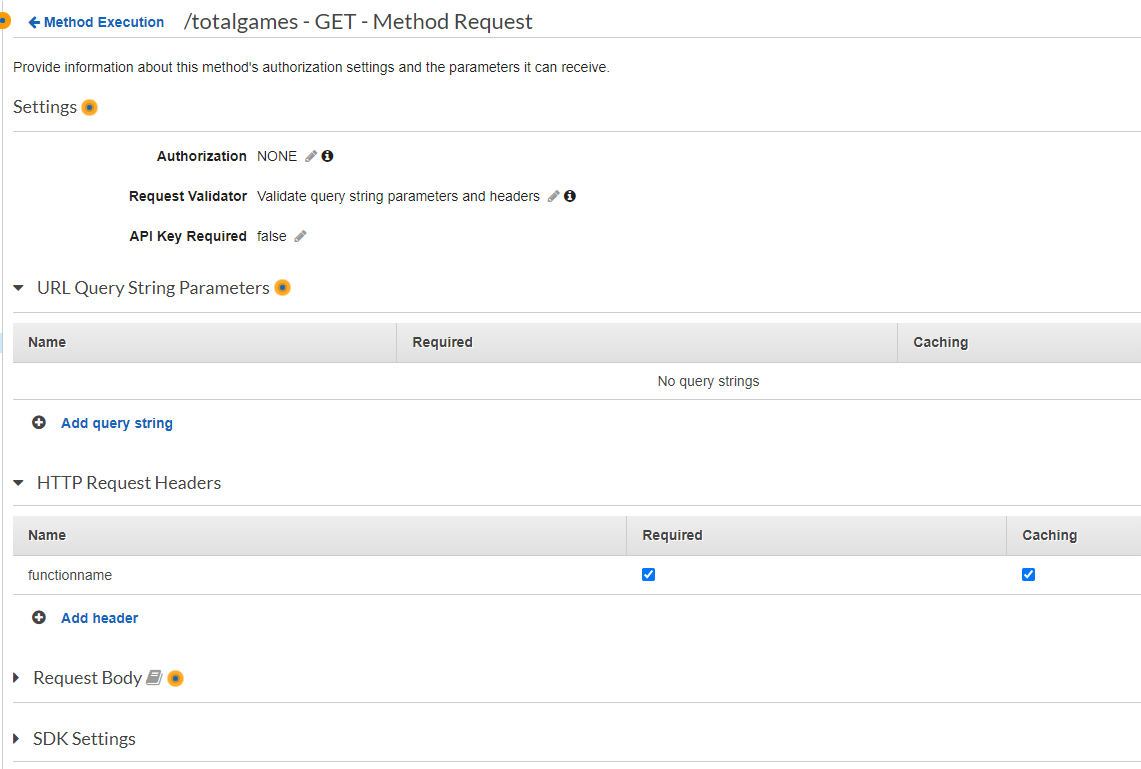
If we need to send any Query parametrs or Headers, we can mention that in Method request details.
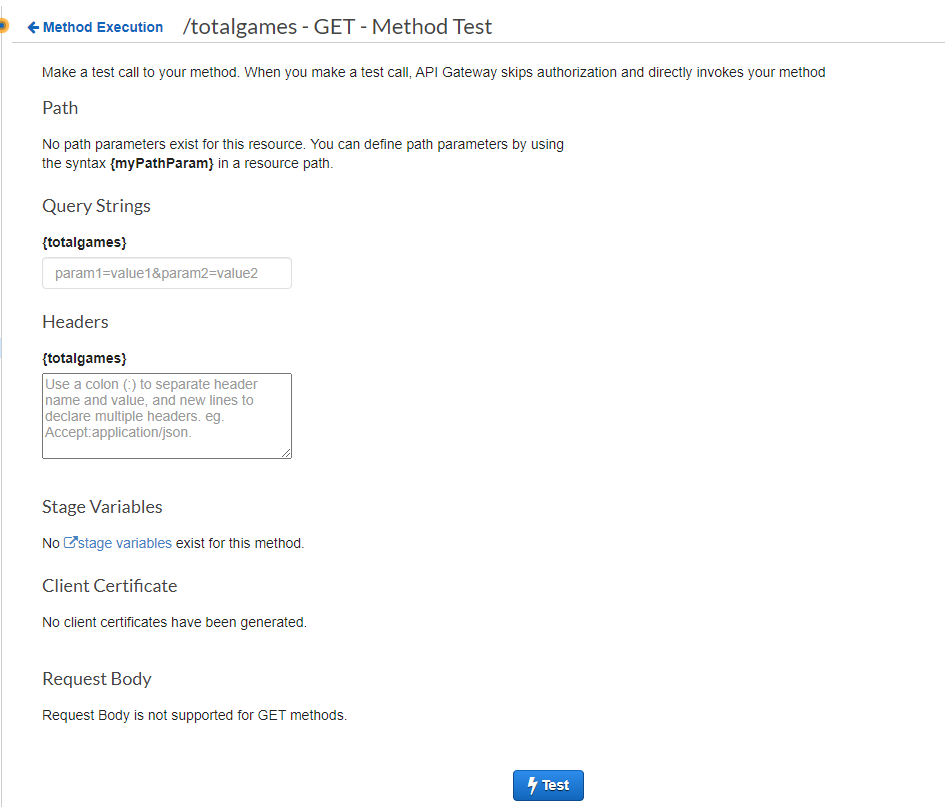
Finally after everything is setup, it can be easily tested by clicking on Test button on left side of panel
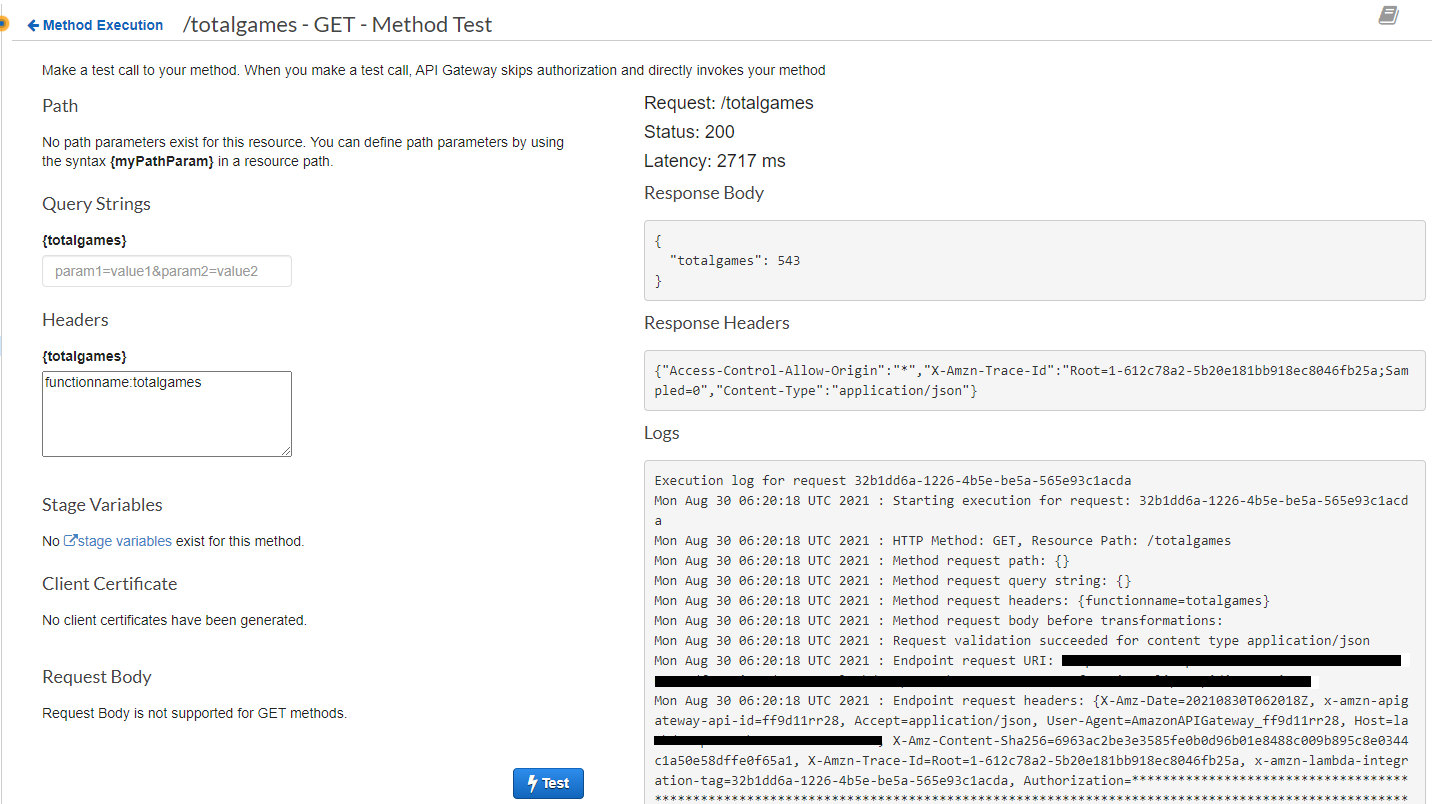
One final step is to create a Stage. It is mainly required to define and use stages like test, uat, production etc. I created prod as a stage and after clicking on get method under totalGames in the list, I got the URL I needed to use in my application to call the API in the API gateway.
I simply repalced my API app’s URL in FlipIT app to point to API Gateway URL I received in previous step and it works like a charm.
So, My FlipIt App is calling API Gateway which in turn is calling AWS Lambda. That Lambda function is calling my MongoDB to get totalGames and replies back to API Gateway which returns results back to my Application.
Advantage here is that since my method moved to Lambda it scales automatically if there is a load. Also since I am using API Gateway I can secure, monitor and even monetize my APIs if required.
First published on my old blog, Write Code. Be Agile. Go DevOps.