Moving FlipIt Api function to AWS Lambda
There are a lot of organizations using Serverless already. There are many cloud providers as well which supports Serverless.
I wanted to explore how this works, so thought of moving my FlipIt Api app to AWS Lambda since I am already using a few AWS resources. And this is how I did. it
My FlipIt Api is having few functions like getScore, getTotalGames etc to support FlipIt App. So my first step was to move one function to AWS Lambda. Basically If you fail, Fail Fast.
I am using node.js for my FlipIt Api app. Also, I am running app using Express server in local. But if I move my app to AWS Lambda I need not worry about Express. All I need to do is have my function i.e in this case getTotalGames code as part of AWS Lambda function.
I created an AWS Lambda function. There is an option to write code in an editor in browser itself. Its simple and nice editor to write code inline.
In my local, code looks like this:
app.get('/api/totalGames', function(req, res){
  Score.find(function(err, totalGames){
      if(err){
          console.log(err);
      }
      res.json(totalGames.length);
  })
});
When I move it to AWS Lambda, it looks like this:
exports.handler = async function(event, context) {
  context.callbackWaitsForEmptyEventLoop = false;

  const newconn = await getDBConnection()
  const model = newconn.model('scores');

  const score = await model.find();

  response = JSON.stringify({
      totalgames : score.length
  })
  return response;
}
I seperated getDBConnection to fetch connection info in same AWS Lambda function. It basically calls mongoose client to establish a connection and return the same.
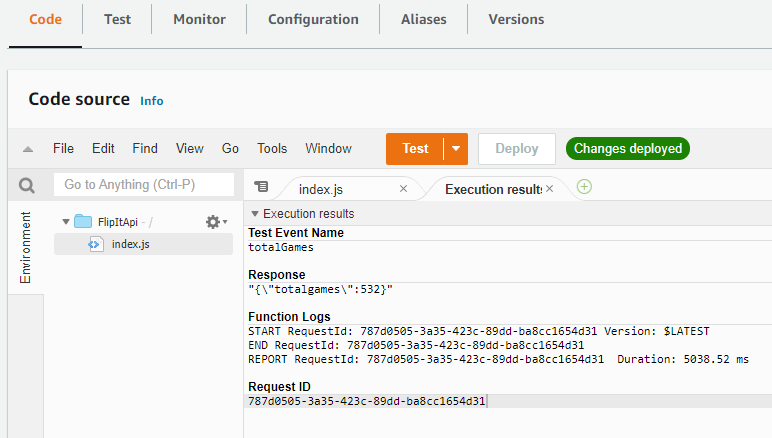
Here, the response will have a simple json object with total number of games.
We can easily test this by first deploying function and configuring a test event.
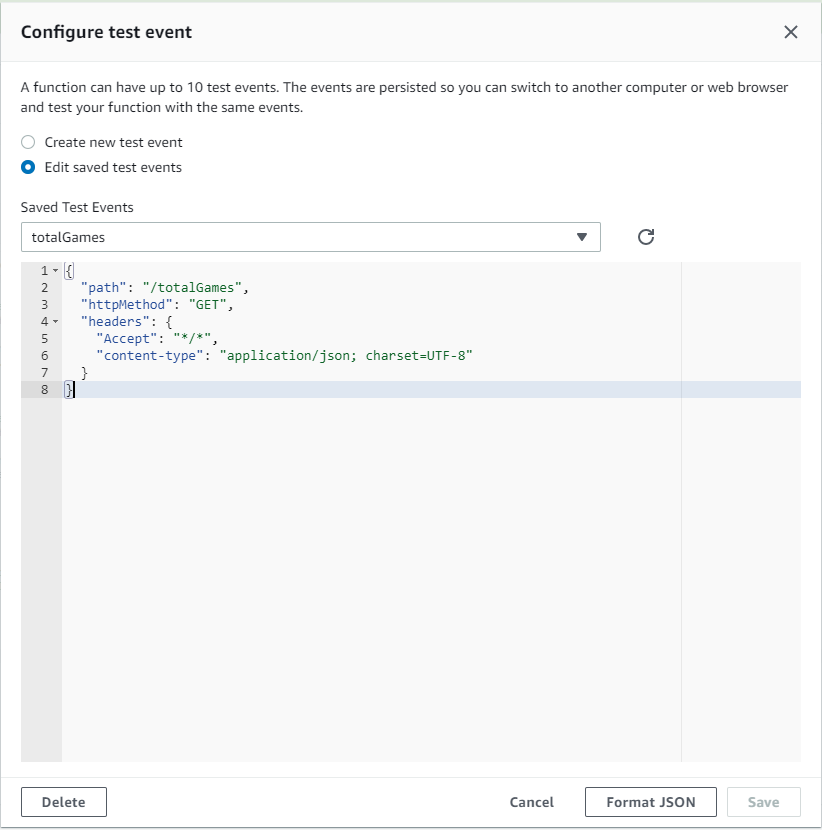
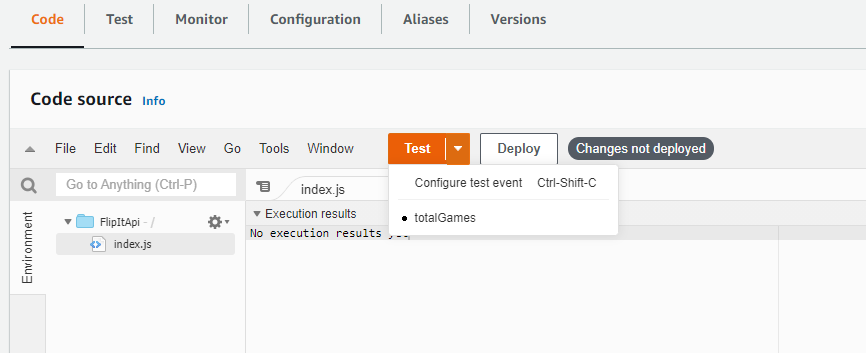
And once test execution is successful, result will appear in another window
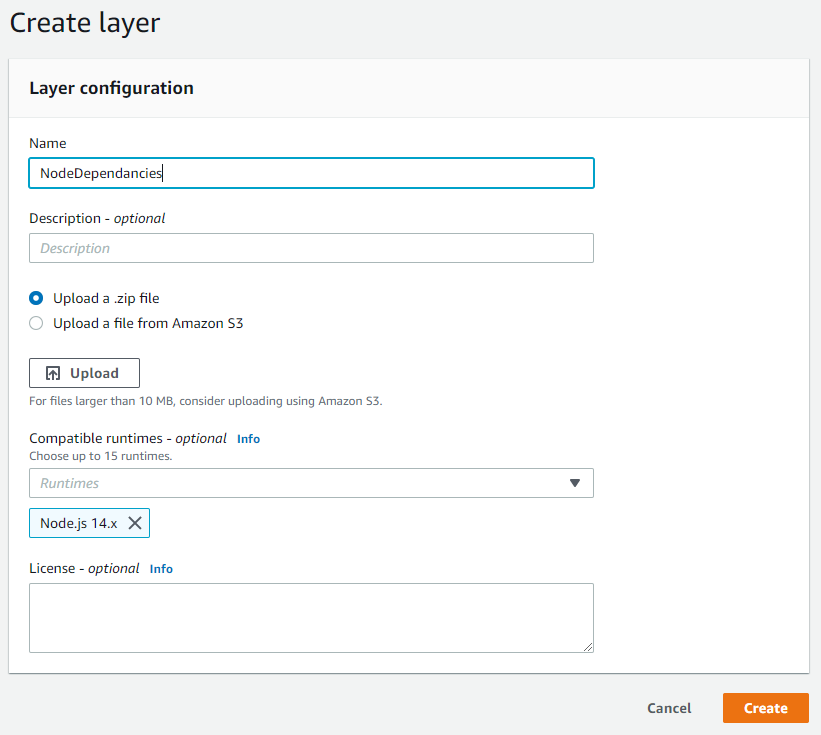
One important thing to keep in mind is to handle dependancies. AWS Lambda provides a way to upload all dependancies as zip file or from S3 location.
I zipped my node_modules and uploaded as a layer. AWS Lambda uses this layer contents to resolve depandancies and then execute the function.

This means our code is running as an AWS Lambda function. Next step is to consume this function. For that we can use any API Gateway and that.. would be the topic of next blog.
First published on my old blog, Write Code. Be Agile. Go DevOps.